

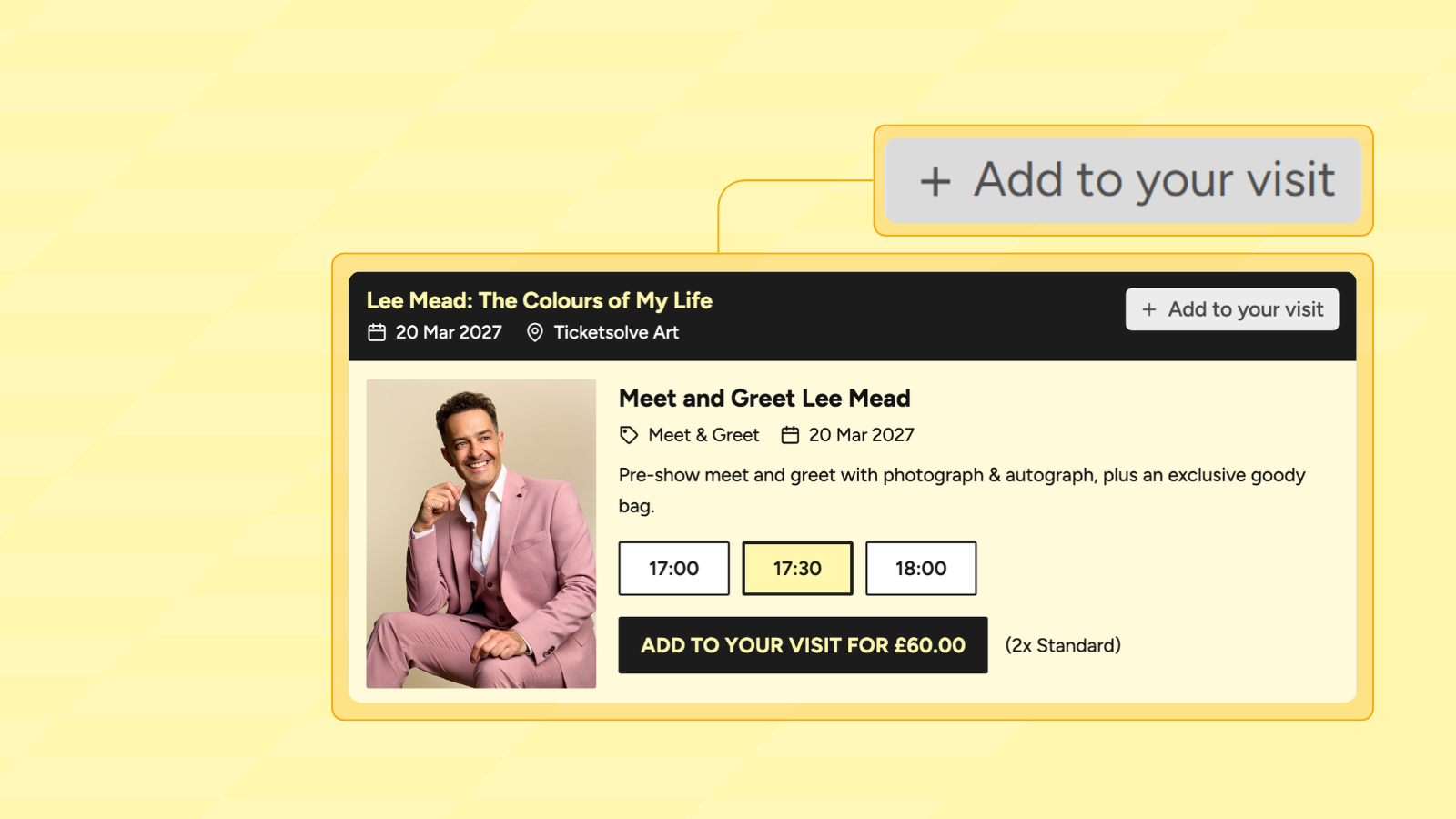
When researchers at Wharton and Carnegie Mellon ran a large-scale field experiment with more than 184,000 online shoppers, they found that by providing recommendations, retailers increased how often people bought products. The effect wasn’t the same for all types of purchases: recommendations made the biggest difference for products bought for enjoyment rather than based on practical need. And few things are bought purely for enjoyment in the way that live experience tickets are! Complements, a new part of Ticketsolve’s Event Upsells feature, offers the opportunity to optimise your recommendations and suggest the right add-on, at the right moment, enhancing the customer experience and growing secondary spend from your existing audiences.
Offering an add-on to a captive audience
It stands to reason that the customers most likely to purchase a meet & greet are those who have just bought a ticket for the main show - that’s why recommendations during the checkout process boost add-on sales.
But simply suggesting events still leaves the customer to do the legwork: find a time that fits around their performance, work out how many tickets they need, and add them to the basket - making it more likely for them to skip the step in pursuit of a fast check out, especially for high-demand events.
For these customers, you already know the date and time of their performance, and how many people are coming. So it makes sense to personalise their recommendation, offering an add-on suggestion that’s been tailored to their booking, and they can easily add to basket with a single click.
How Complements works
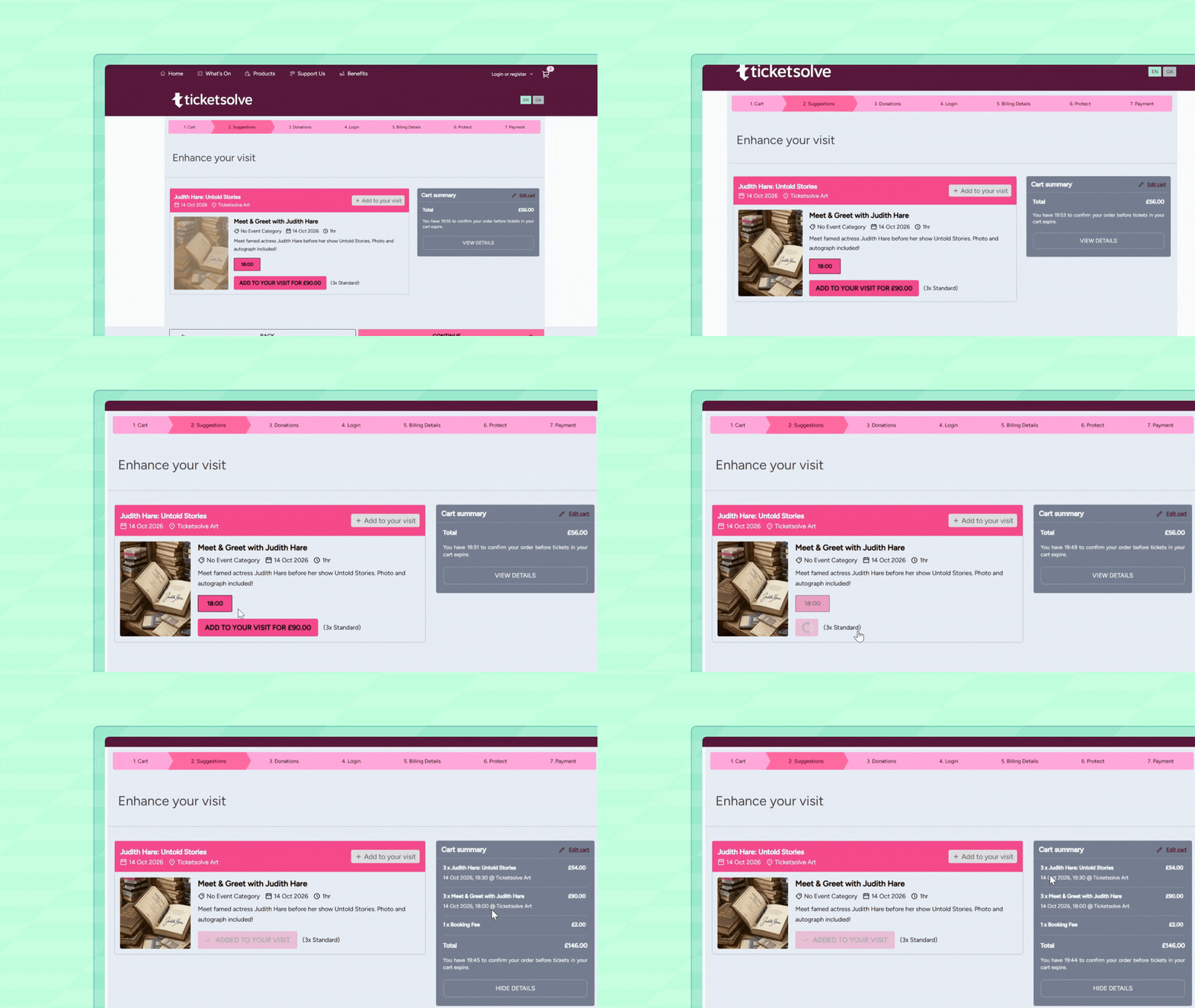
Complements suggests a related add-on event during online checkout, once a customer has added tickets for the main show to their cart.
At this point, a dedicated Suggestions step appears, showing the add-on alongside the show they've already chosen. Only time slots close to their main show are offered (you set the window, which can be before or after) - so for example, someone booking the 7.30pm exhibition slot see the 6pm curator talk slot, but not the 3pm one. If no slot fits around their show, or the add on is fully sold out, the offer is simply skipped.
The customer can see the total cost and add to their booking if they wish. Complements also matches the number of tickets in the cart - so if their basket contains four tickets for the main show, complements will suggest four for the meet & greet. If they'd rather skip, they can just move to the next stage.
One booking for one trip
With Complements, your audience receives a relevant, timely and fully personalised suggestion at the point in their booking journey which makes the most sense. It saves them making a second transaction, or worrying they’ll miss out on on booking the add-on that’s closest in time to the main event.
Your team can rest assured that ancillary events will be shared with every customer booking - provided that the timing makes sense for their initial time slot - rather than having to promote them separately.
Setting up Complements in Ticketsolve
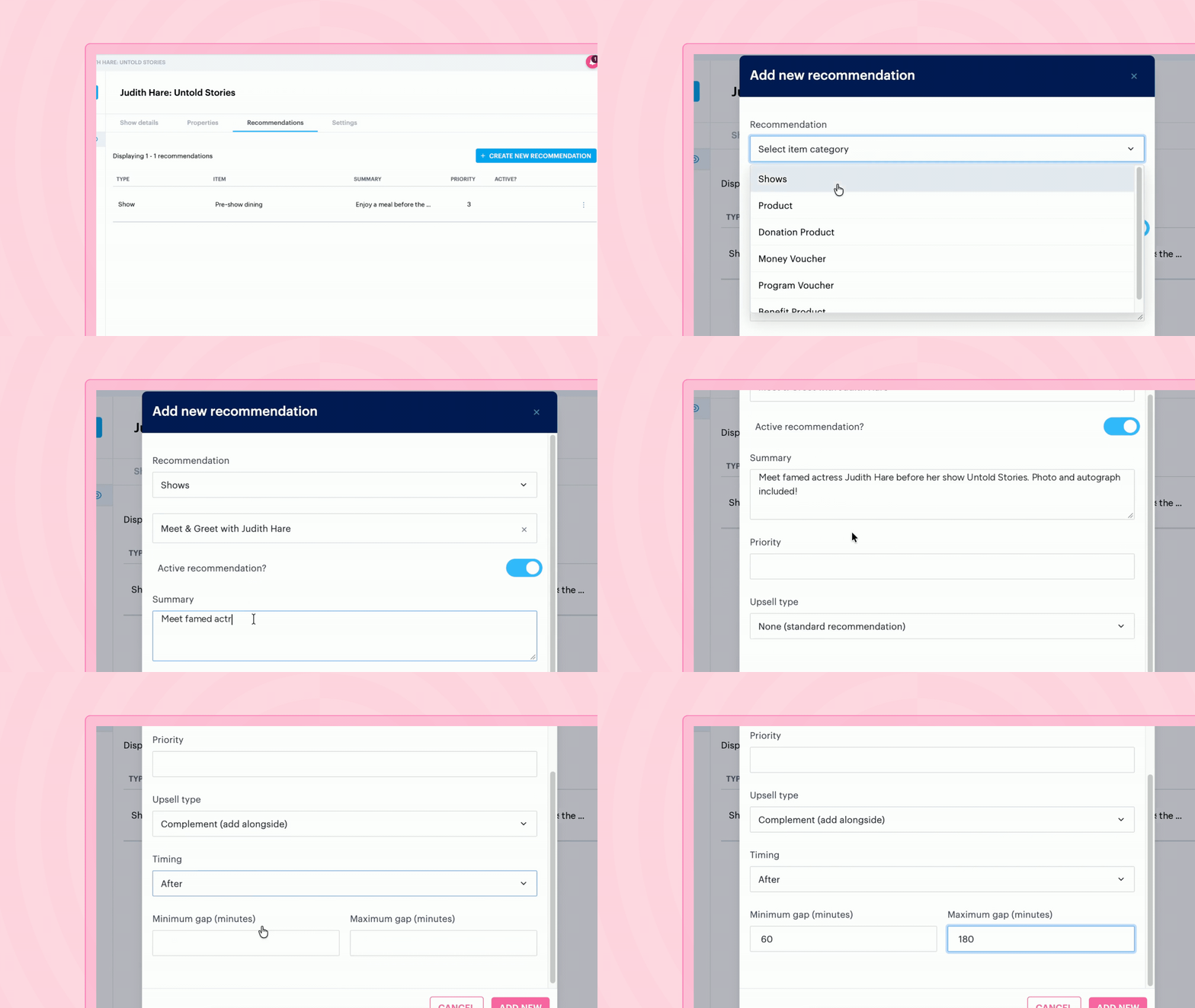
You’ll find Complements in the ‘Recommendations’ tab of your main show, so if you've set up cross-sell recommendations before now, it will feel familiar. All you need to do is add a recommendation for your add-on event, set the upsell type to Complement, choose whether it runs before or after the main show, and set the minimum and maximum gap between the two start times.
We’d recommend a longer gap for one-off add ons like meet and greets, or a slightly smaller gap between start times if you have multiple time slots for your main event.
Complements is currently in Alpha testing. If you'd like to try it, get in touch with our Support team and they'll enable it on your account. You can find out more about how it works, and how to set it up, in our Help Centre.